
07.06.2023.
Zadar Private Renters to Have a Simple Guest Registration Process
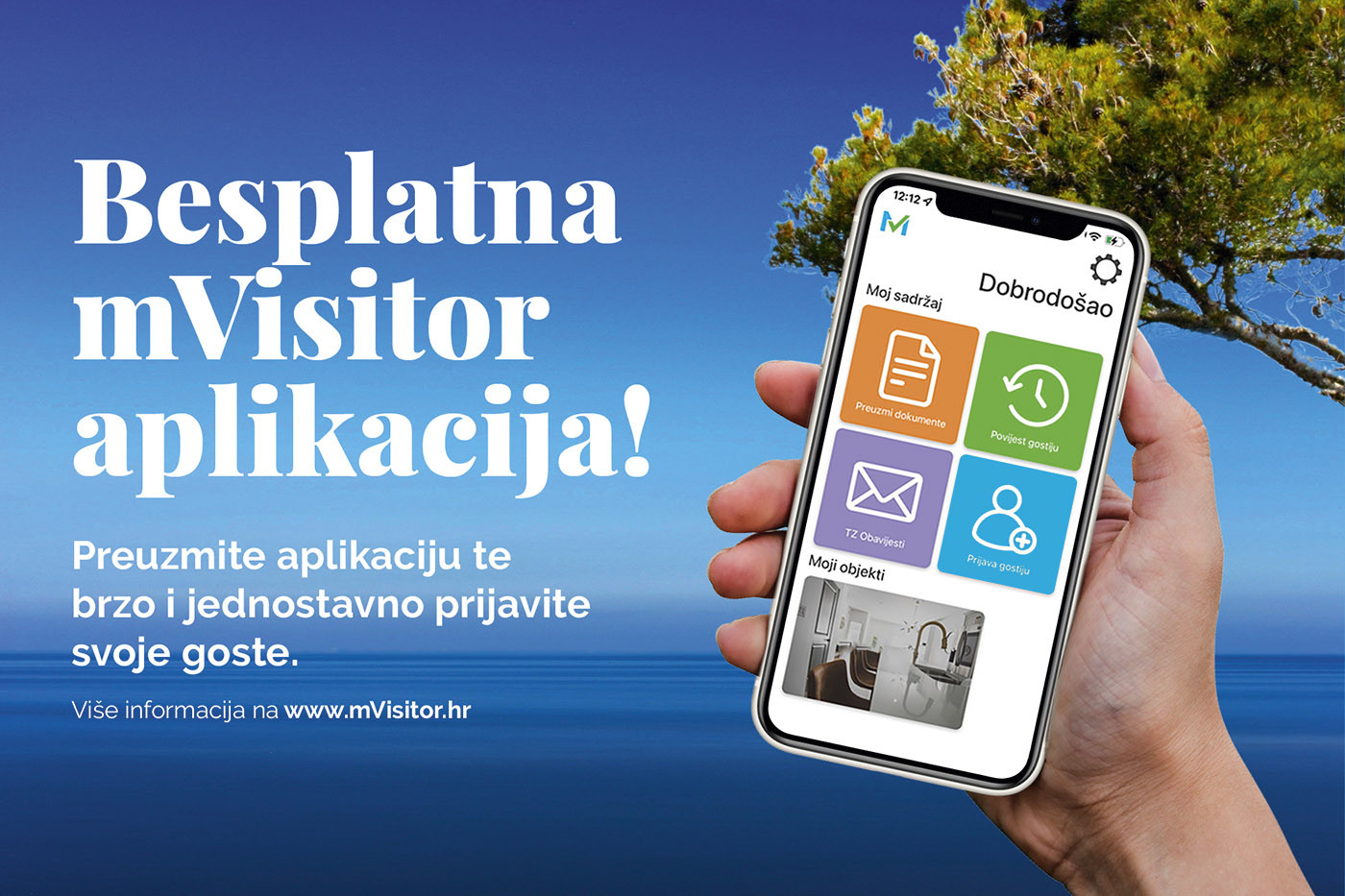
The Zadar Tourist Board is introducing a project that aims to facilitate easier and smoother operations for renters. The mVisitor application is designed for tourist boards, renters, and tourists, primarily to simplify the guest registration process and enhance communication between tourist boards and renters.
After downloading the application, renters can easily register their guests using mobile devices, as the system reads personal documents and automatically forwards the necessary information for guest registration to the national eVisitor system.
By utilizing this application, communication between tourist boards and renters will also be improved, as the application allows tourist boards to send special notifications to renters. The application was developed by Intersoft Technologies, and the Zadar Tourist Board has provided their renters with the opportunity to use this system free of charge for simpler guest registration. Dean Verbanac, the director of Intersoft Technologies, stated, "The mVisitor system is the result of numerous discussions with tourist boards and renters, offering solutions to some of the key problems they face today. Our main focus was to improve the communication between tourist boards and renters and then to make the guest registration process easier, simpler, and faster for renters. We have succeeded in both aspects, as confirmed by the enthusiasm of renters who have already started using mVisitor. It is important to note that the application is completely free for renters."
Short instructions for usage:
1. Download the mVisitor application from the Apple Store or Google Play Store.
2. After installation, log in to the application using your OIB (username) and password (the same password you use for eVisitor).
3. Choose the method for entering guest data:
a. You can digitally scan guest data or manually enter it through the mVisitor application.
b. You can directly send a link from the mVisitor application to the guest, through which they can enter their data. The guest's information will be sent back to you for authorization.
c. Create and print a document with a QR code in the application, and place it in your facility. The guest scans the QR code, which directs them to a secure website where they enter their personal information and send it back to you for authorization.
4. After verifying the guest data, click the "Register Guests" button within the mVisitor application to register them in eVisitor.
For more details for renters, please visit the Zadar Tourist Board's B2B website.
.
Want to find more?
Suggested
The Most Beautiful Time of the Year - Zadar Christmas Market is Starting Soon
22.10.2024.

Gastronomy
Zadar, a City from Where White Fish Farming Originates
21.03.2023.

Gastronomy
Gastronomic Tour of Advent 2024 in Zadar, Fourth Part
02.12.2024.
History
A Spectacular 3D Review of the Life and Appearance of Ancient Iader
05.02.2021.